
Poshmark listing generator from a photo
Vintapp, an iPhone app, turns one photo of a clothing item into a Poshmark listing: a title, a description, a suggested price and extra photos. You paste it into Poshmark, keep your own photo as the covershot, and list it yourself.

For iPhone. Your first listing is free, no card required.
How it works with Poshmark
- Photograph your item. Lay it flat in daylight, with nothing else in the frame, or choose a photo from your library. That photo is also the one to use as your covershot.
- Read what Vintapp writes. The app identifies the type of item, its color and material, plus the brand, size and condition when the photo shows them, and writes a title, a description and a suggested price. It can make mistakes: you check and correct.
- Save, copy, list. Pick from nine photo styles, save the photos to your iPhone’s Photos app, copy the listing and paste it into Poshmark’s listing form.
What Poshmark asks of you
- In the Poshmark app, you select Sell, then take or upload up to 16 photos of the item.
- The required information is the title, the description, the category, the size, the original price and the listing price.
- Poshmark’s guidance on listing quality: a title of 80 characters max featuring the brand, style name, category, size and color, and a description with the condition, measurements, date codes, fabric content and other keywords.
- Poshmark’s Seller Policy asks for your original photos of the items and for the item to be clearly represented in the main photo, and asks you to avoid editing that makes the condition hard to assess, such as collages or heavy special effects.
- Poshmark recommends at least four images per item, showing it in different ways, plus extra photos of any damage, excessive wear or stains.
- Using Poshmark’s standardized size options helps your listing appear when buyers apply the My Size filter. Once the item sells, Poshmark emails you a prepaid, pre-addressed shipping label.
Post your listing on Poshmark
- In Vintapp, save the photos you chose to your iPhone’s Photos app and copy your listing: title, description and price.
- In the Poshmark app, select Sell at the bottom of the screen.
- Take or upload up to 16 photos: your own photo of the item as the covershot, then the back, the label, any flaws, and Vintapp’s photos.
- Paste the title, keeping it within 80 characters, and the description, then choose the category and the size.
- Enter the original price and your listing price, using Vintapp’s estimate as a starting point.
- Read the listing through, select Next, then select List.
One photo, two results
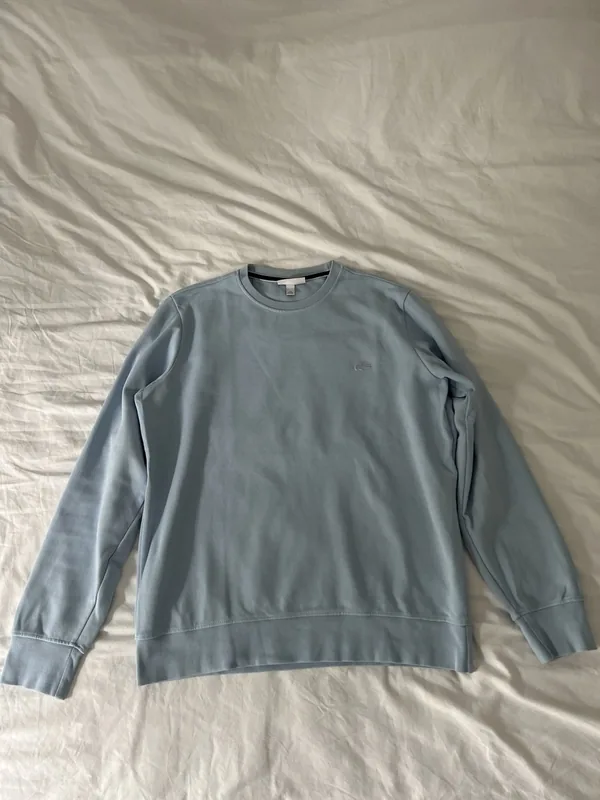
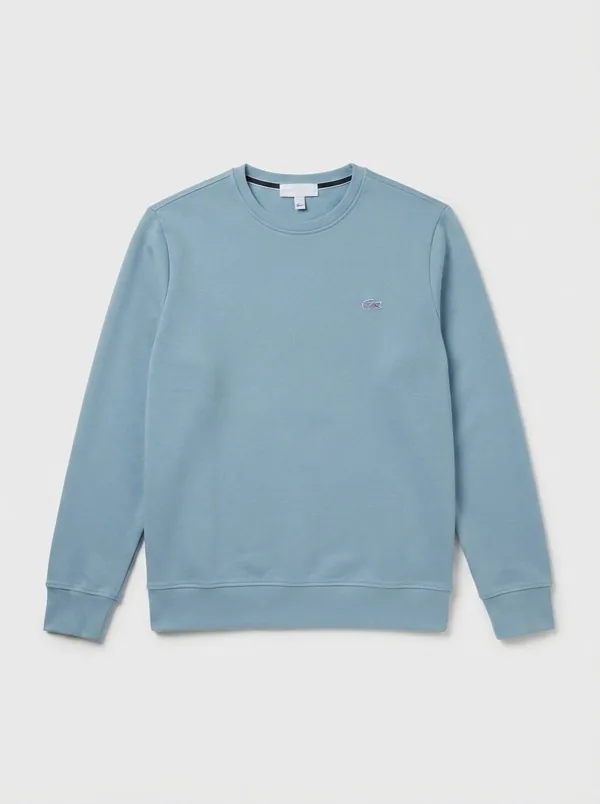
Like the model photos, “Enhance” is generated by AI: the app tells you before any generated image is created. “Cutout” and “Backdrop” keep the pixels of your photo.
What you get for your Poshmark listing
- A title: the type of item, its material and the brand when it’s visible. Poshmark suggests the brand, style name, category, size and color, so check what’s missing before you paste it.
- A description: the fit, the material, the visible details and the condition, in an easy-to-read list, ready for you to add the measurements and the fabric content from the label.
- A suggested price: an estimate, to adjust before you enter your listing price.
- Extra photos: nine styles. Seven are generated by AI, with up to three angles each: a female model, a male model or your own, a bust, a hanger, folded like in a store, and “Enhance”. Two are made on your iPhone from your own photo and keep its pixels: “Cutout” and “Backdrop”.
Tips for a Poshmark listing
- Make your own clear, well-lit photo of the item the covershot. Put the model photos and “Enhance” after it: they’re generated by AI, and the main photo should show the item you’ll ship.
- Photograph any flaws, wear or stains up close yourself: Vintapp’s photos don’t replace them.
- Before pasting the title, check that it has the brand, the size and the color: the app can’t always read the brand or the size from the photo.
- Copy the fabric content and any date code from the label into the description, along with the measurements.
- Before settling on a price, look at similar items that have already sold.
Questions about Poshmark
Does Vintapp list items on Poshmark for me?
No. Vintapp isn’t connected to Poshmark and isn’t a Poshmark partner: no sign-in to your account, no form filled in for you, no messages. You copy the listing, save the photos, and you list it yourself from the Poshmark app.
Can a model photo be my covershot?
Poshmark’s Seller Policy asks for your original photos and for the item to be clearly represented in the main photo. So use your own photo of the item as the covershot and add Vintapp’s model photos after it. The app tells you before any generated image is created.
Will the title fit Poshmark’s limit?
Poshmark’s title limit is 80 characters. Check the length when you paste the title, and add the size or the color if they’re missing, as Poshmark suggests.
Is it free?
Your first complete listing, photos included, is free, once per device and per account, with no card required. There’s no free trial. After that, it’s a subscription sold and managed by Apple, which you can cancel whenever you like from your Apple account.
Is there an Android version?
No. Vintapp is an iPhone app, for iOS 17 or later.
Photograph it, then list it on Poshmark.
For iPhone. Your first listing is free, no card required.