
Depop listing generator from a photo
Photograph your item and Vintapp, an iPhone app, writes your Depop listing and creates the photos. You paste it into Depop, check it, add your hashtags and post it yourself.

For iPhone. Your first listing is free, no card required.
From one photo to your Depop listing
- Photograph the item. Lay it flat in daylight with the whole piece in the frame, or pick a photo you already have in your library.
- Vintapp writes the listing. It identifies the type of item, its color and material, plus the brand, size and condition when the photo shows them, then writes a title, a description and a suggested price. It can get things wrong, so read it through and correct it.
- Pick your photos, then post on Depop. Choose among nine styles, save the photos to your iPhone’s Photos app, copy the listing and paste it into a new Depop listing. You’re the one who posts it.
What Depop asks of you
- In the Depop app, a listing takes up to four photos and one video. On Depop.com, from a laptop or desktop, you can add up to eight photos.
- You describe the item using up to five hashtags. Depop’s tips: start the description with a title made of words you’d search for as a buyer, then add measurements, fit notes and the condition, including any flaws or signs of wear.
- You then add the category, shipping, brand and condition. Depop also lets you fill in the subcategory, up to two colors and the style, which help match your item to buyer searches.
- Depop’s Community Guidelines ask for honest descriptions and photos: use original images, never stock photos or copied listings, and avoid misleading titles and irrelevant hashtags.
- Buyers can also search Depop with a photo: Visual Search matches their image against the first photo of your listing, and Depop advises making photo one a clear, well-lit shot of the item itself.
- Adding information that has nothing to do with the item, such as a brand you aren’t selling, can hurt your listing’s exposure in search.
Post your listing on Depop
- In Vintapp, save the photos you picked to your iPhone’s Photos app and copy your listing: title, description and price.
- Open the Depop app and choose Sell in the bottom bar.
- Add up to four photos and one video, starting with your own photo of the item, then Vintapp’s photos.
- In the description, paste your listing with the title as the first line, then add up to five hashtags that describe the item.
- Add the category, shipping, brand and condition, then set your price, using Vintapp’s estimate and Depop’s suggested prices as guides.
- Read everything through, then tap Post listing.
One photo, two results
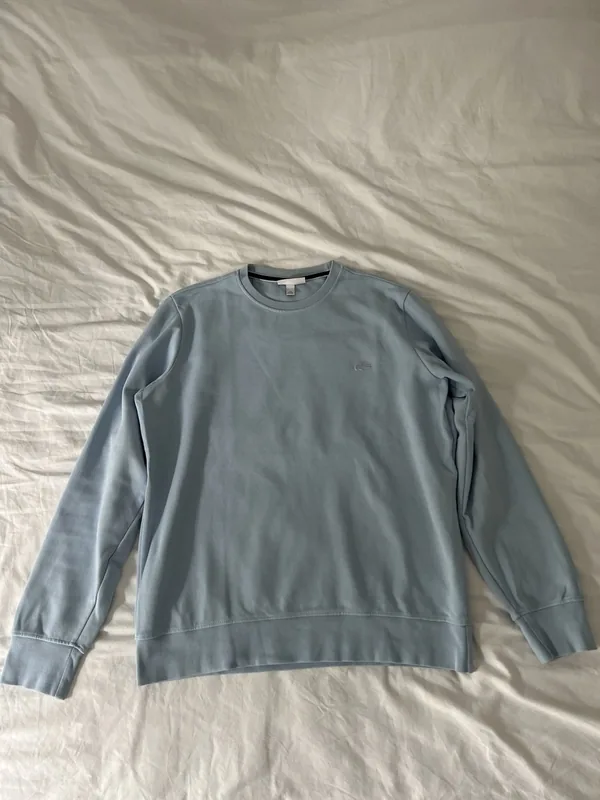
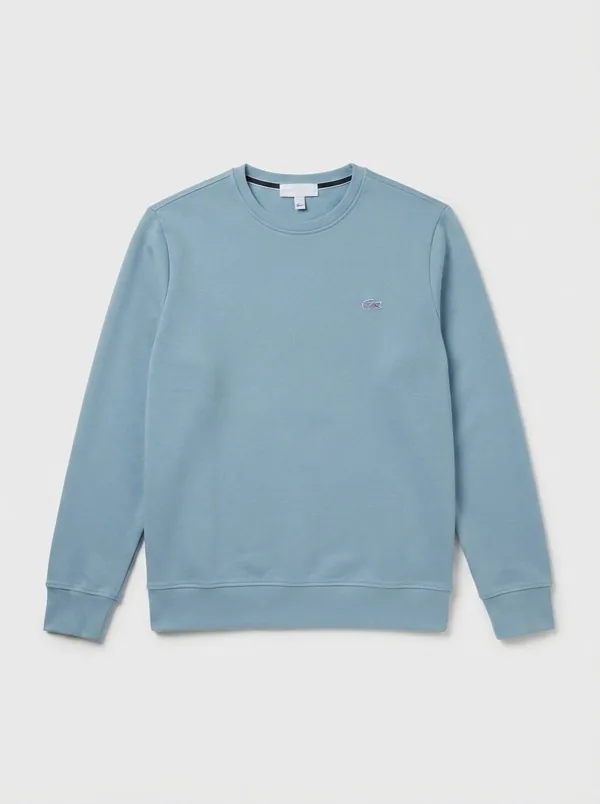
Like the model photos, “Enhance” is generated by AI: the app tells you before any generated image is created. “Cutout” and “Backdrop” keep the pixels of your photo.
What Vintapp writes for your Depop listing
- A title for the first line: the type of item, its material and the brand when it’s visible. Depop suggests opening your description with the words a buyer would search for, so the title goes at the top.
- The description: the fit, the material, the visible details and the condition, in an easy-to-read list. You add the measurements and your hashtags.
- A suggested price: an estimate that you adjust. Depop may also show a suggested price range based on similar items, so you can compare the two before you decide.
- The item details: type, color and material, plus the brand, size and condition when the photo shows them, to have at hand when Depop asks for the category, brand and condition.
Tips for a Depop listing
- With up to four photos in the app, plan them: your own photo of the front first, then the back or the label, a close-up of any flaw, and one Vintapp photo to show the piece worn or styled.
- Shoot in daylight, without flash, with the whole item in the frame, and put that photo first: photo one is the one Visual Search matches against.
- Measure the item laid flat and add the measurements with a note on fit: sizes vary between brands.
- Double-check the brand and the size before posting: the app can’t always read them from the photo, and a brand you aren’t selling can hurt your listing in search.
- Choose hashtags that describe the item itself, such as its style, era, material or fit, not brands it has nothing to do with.
Questions about Depop
Does Vintapp post on Depop for me?
No. Vintapp isn’t connected to Depop and isn’t a Depop partner: it doesn’t sign in to your account, fill in the form or send messages. You copy the listing, save the photos, and you post it yourself from the Depop app.
Can I use the model photos on Depop?
Depop asks for honest photos and original images, and it sets its own rules, which can change. Our advice: put your own photo of the item first and keep real photos of the back, the label and any flaws. The app tells you before any generated image is created, and “Cutout” and “Backdrop” keep the pixels of your photo.
What about hashtags?
Vintapp writes the title, the description and a suggested price. Depop lets you use up to five hashtags in your description: add them yourself, picking words that really describe the item.
Is it free?
Your first complete listing, photos included, is free, once per device and per account, with no card required. There’s no free trial. After that, it’s a subscription sold and managed by Apple, which you can cancel whenever you like from your Apple account.
Is there an Android version?
No. Vintapp is an iPhone app, for iOS 17 or later.
Your next Depop listing starts with a photo.
For iPhone. Your first listing is free, no card required.